
Food & lifestyle
Maya Reed
Turn recurring audience questions into the next useful recipe.
Start your free creator workspace. Bring audience insights, Smart Links, and your creator profile together, and manage brand collaborations through ANTRAMIC BRANDS. Affiliate-offer discovery remains on the roadmap.
YouTube, Instagram and X available · ANTRAMIC BRANDS is live
From recipes to tutorials, ANTRAMIC brings audience context and the work you share into one place.
Illustrative creator examples.
Find your place in the OSTurn recurring audience questions into the next useful recipe.

Bring tutorial feedback and the links you share into one workflow.

Keep the context behind your community’s questions close.
ANTRAMIC brings creator audience insight and brand collaboration together. Start with relevant creator context, agree the work and give both sides a clear next step.
Bring permitted account context, audience insights, links and brand collaborations into one workspace. Clips and automated publishing remain on the roadmap.
YouTube, Instagram and X availableSee creator benefitsDiscover creators in ANTRAMIC BRANDS, save a shortlist and send a clear proposal. Agree terms with the creator, then manage deliverables and reviews together.
ANTRAMIC BRANDS is liveSee brand benefitsFuture suggestions can connect an offer to a creator’s post or video topics and recurring audience questions, then let the creator decide whether it belongs in their content.
Affiliate tools plannedSee affiliate benefitsBring eligible platform signals into one private creator workspace. YouTube is available; Instagram professional accounts and X are available with account authorization. More platforms are planned.
 YouTubeAvailable with creator authorization

 InstagramAvailable for eligible professional accounts
 XAvailable with account authorization
 ANTRAMICCreator OS
Authorized signals become usable context for your next decision.
Connections are requested by the account owner. Platform names and marks identify their services and do not imply endorsement of ANTRAMIC.
Actual screens from the running Creator OS. Explore the read-only sample workspace to see how connected content and audience context come together.
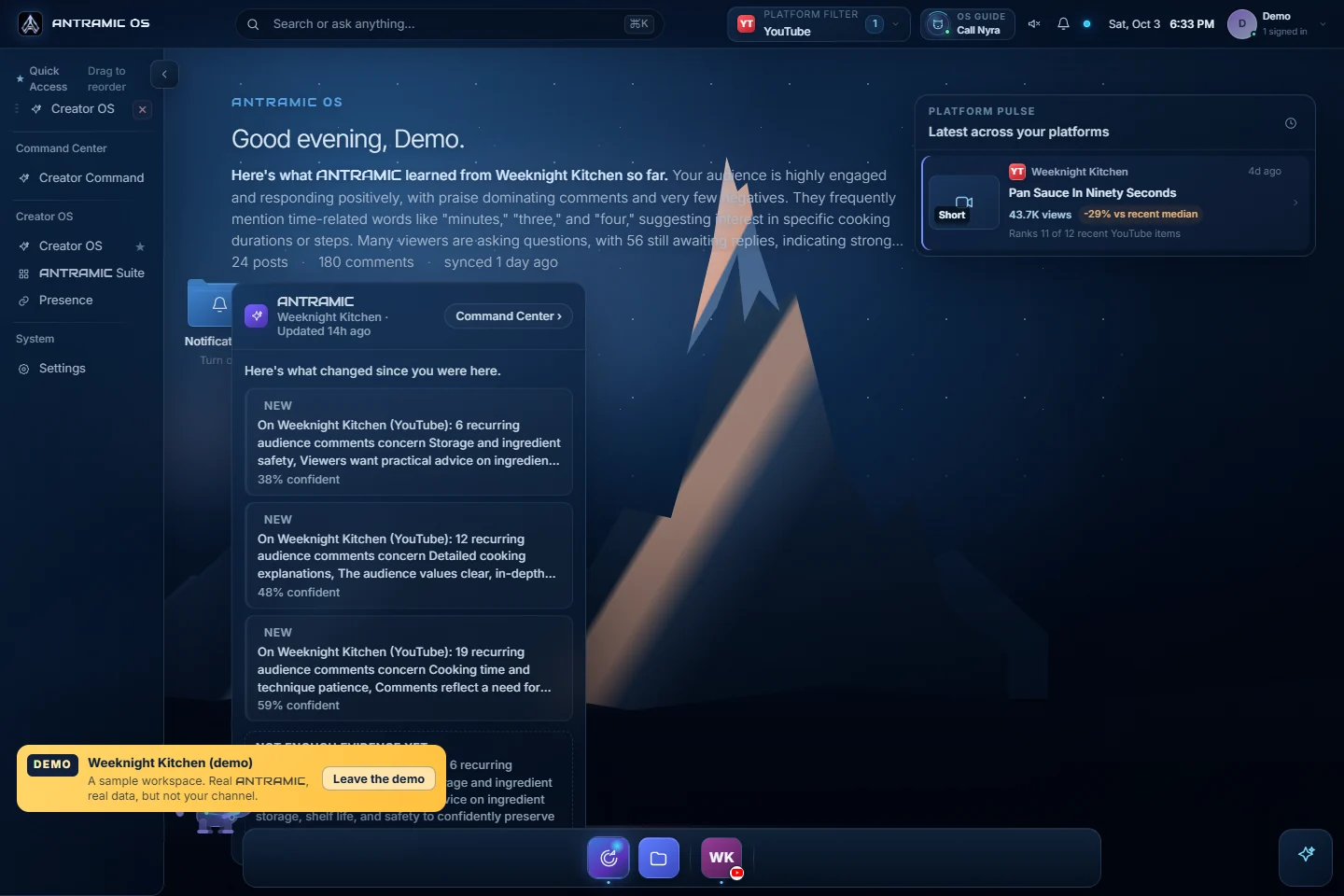
See connected content, audience questions, and recent activity together. The home screen gives you a place to begin the next decision.
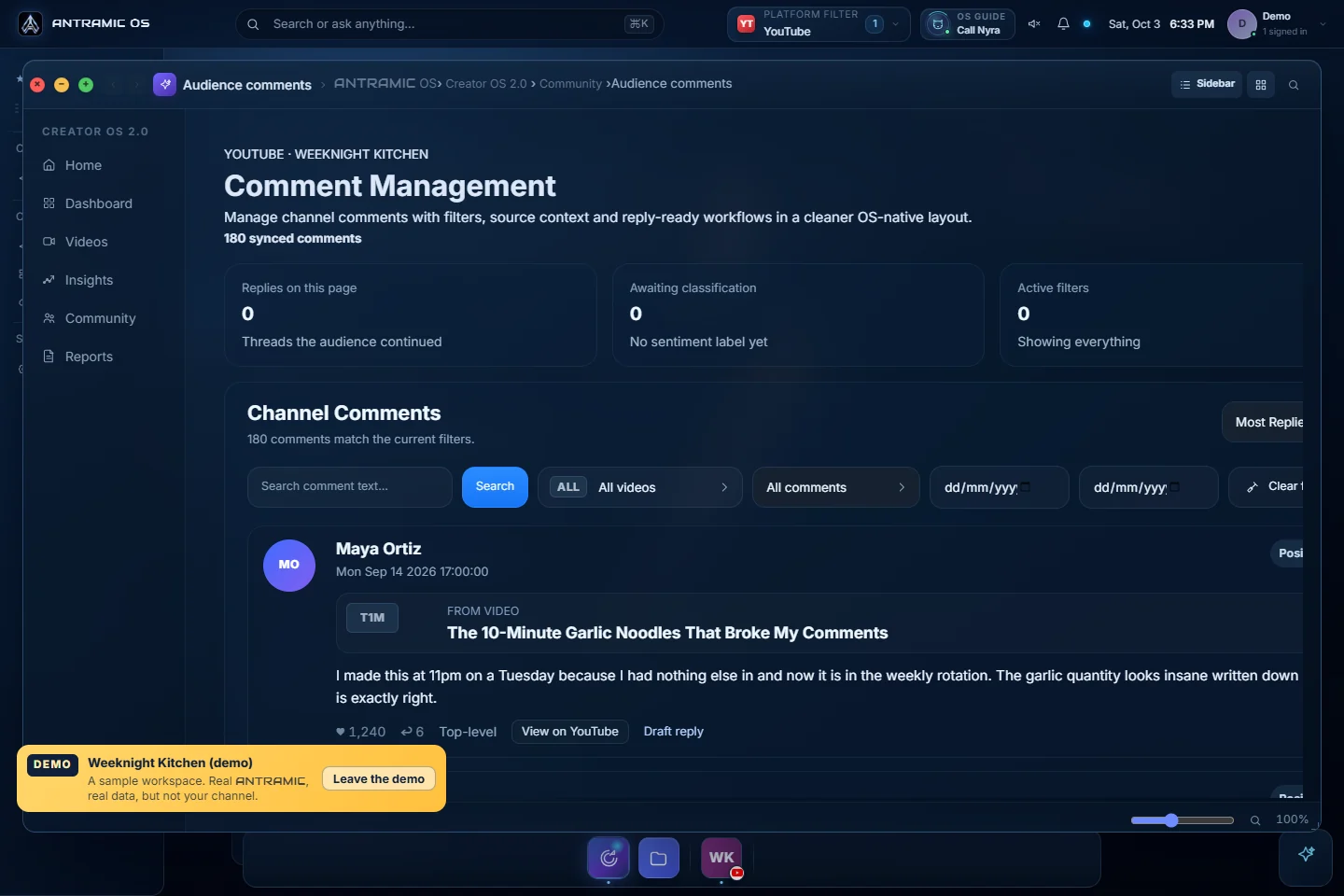
Browse synced comments with video context, sentiment labels, and filters. Read what people actually said before deciding how to respond.
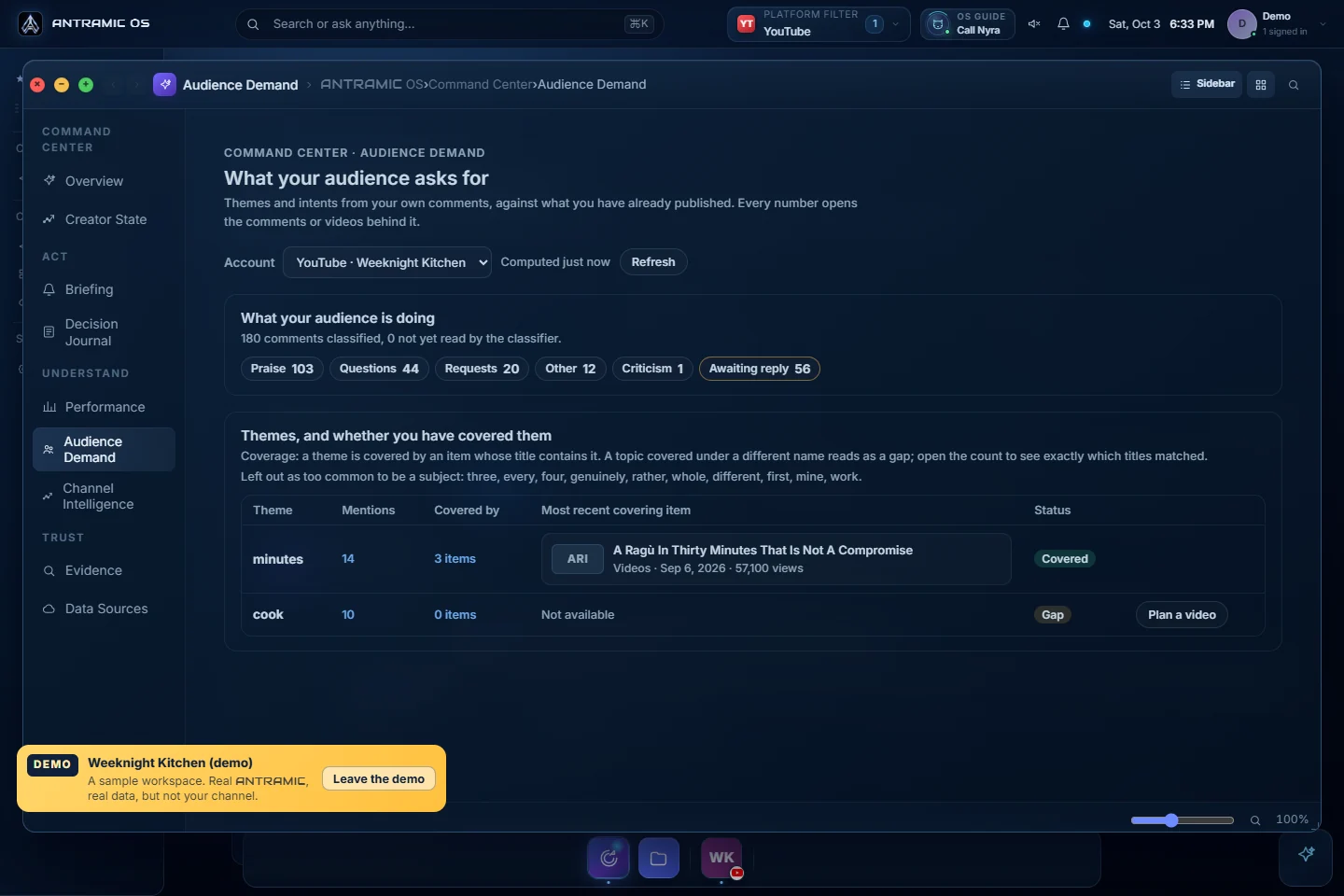
Review themes and requests from comments, compare them with your published content, and open the evidence behind the counts.
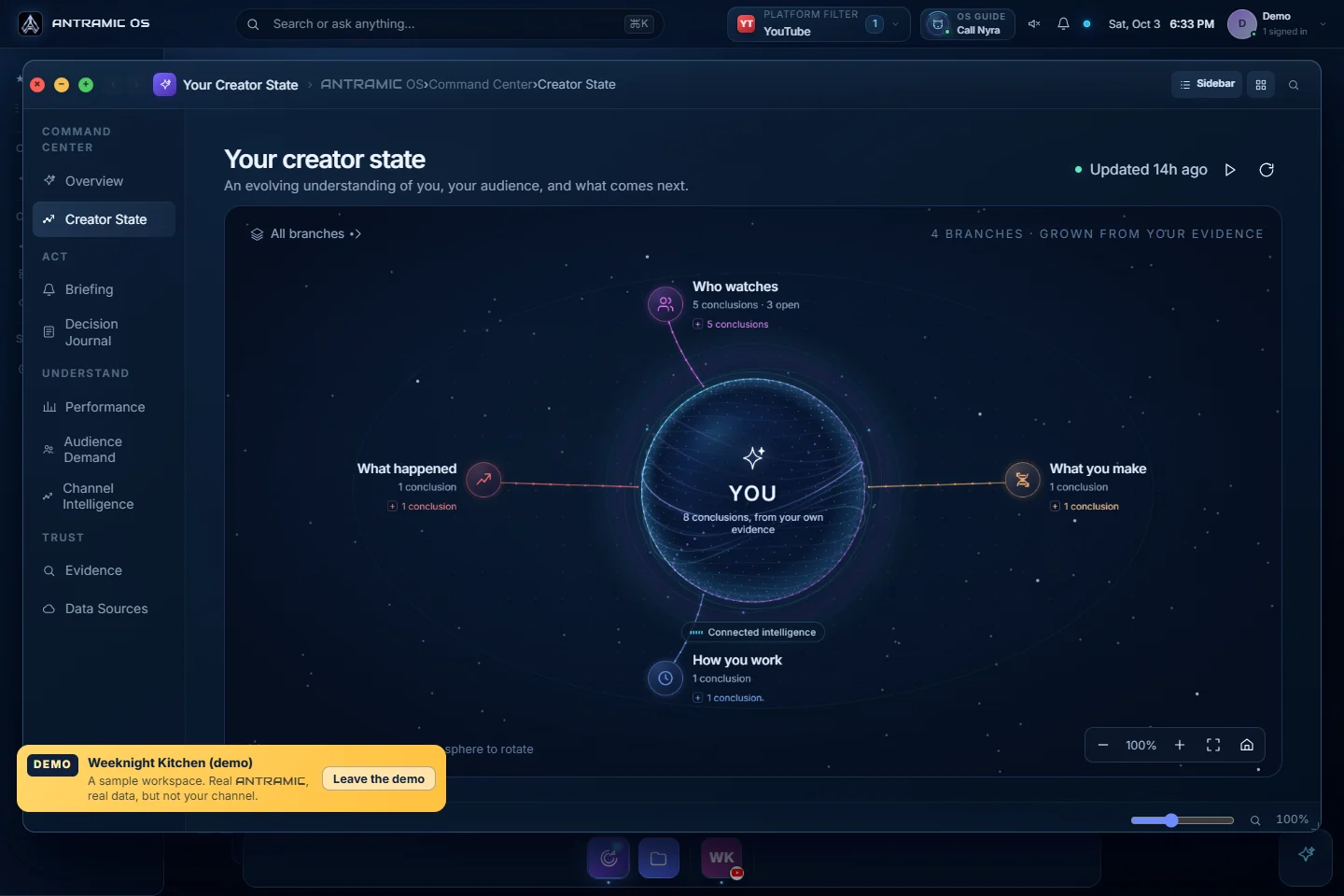
Creator State organizes derived context and links back to evidence. Creator Memory is rolling out; availability depends on the workspace and its permissions.
Captured from the Weeknight Kitchen sample workspace on October 3, 2026. Sample data shows the interface; access, permissions, and results vary by account.
Explore the walkthrough →Start with what is live, then see the tools we’re building around it. Each card shows its stage.
Connect a YouTube channel today; eligible Instagram professional accounts and X accounts can connect with authorization. Review permitted signals in your workspace.
See connection status →Ask ANTRAMIC what your audience keeps discussing and use the answer to plan your next piece.
See the current OS →Carry useful creator context forward instead of starting from zero every time.
See Creator Memory →Create Smart Links for supported destinations and manage a public creator profile in your account.
Explore links and profiles →Find useful moments in longer videos, shape short clips, and prepare them for sharing.
Explore the roadmap →Keep ideas, drafts, and distribution steps connected to what your audience is asking for.
Explore the roadmap →Review proposals, agree terms and manage deliverables, feedback and completion in Brands Collab.
Explore ANTRAMIC BRANDS →Consider affiliate products that answer real viewer needs, with terms you can review first.
How affiliate suggestions could work →Planned capabilities are product direction, not available tools or launch commitments.
Brands use the dedicated Brands workspace. Creators review opportunities and manage their side in Brands Collab inside the Creator OS.
Find eligible creator profiles and review the context relevant to your brief before starting a conversation.
Set fees, deliverables, timing, rights and revisions. The creator can accept, counter or decline the proposal.
Keep submissions, feedback, approvals, publication and manual payment records with the collaboration.
Connecting a platform does not give a brand access to private creator reports. The creator chooses whether to participate and what to share.
Brand collaboration is live. Affiliate-offer discovery is a separate future workflow.
Future offer-discovery tools are intended to help creators consider relevant products and review their terms. This is separate from ANTRAMIC’s existing referral programme.
Creators choose the opportunities they take and the information they share.
See affiliate plans and referrals →One workspace can eventually replace a stack of disconnected tools. We’re building toward that vision in stages, with no implied launch date for planned features.
Read your creator-approved YouTube signals and find useful patterns in audience feedback.
Authorize an eligible Instagram professional account or X account alongside YouTube. Available fields depend on the platform and permissions.
Move from insight to creation, sharing, partnerships and revenue in one place.
Roadmap items are plans, not currently available services or launch commitments.
Join the waitlist for more features →Useful writing about audiences, decisions and building a creator business.
Compare audience fit, recent reach and creator-approved evidence before choosing a partner.
Read the audience checklist → Creator businessCheck payment, deliverables, usage rights, exclusivity and cancellation with a practical ten-point checklist.
Read the contract checklist → Audience insightFree, AI and tool methods for finding the questions and requests in your comments.
Read the guide → Sharing your contentA practical guide to creating, testing, and sharing Smart Links.
Read the guide →Create your free account and explore the tools available today.